If you want to query ISTARI GOI directly from your own scripts, products, or data pipelines, you do so through the ISTARI API using a personal API key. This page is about creating and managing those keys from inside the platform. For endpoint details, parameters, and request/response formats see the ISTARI API documentation.
To open the API Keys page, click your profile avatar in the bottom-left of the sidebar and choose API Keys from the dropdown. (This option only appears if your account has API access.)
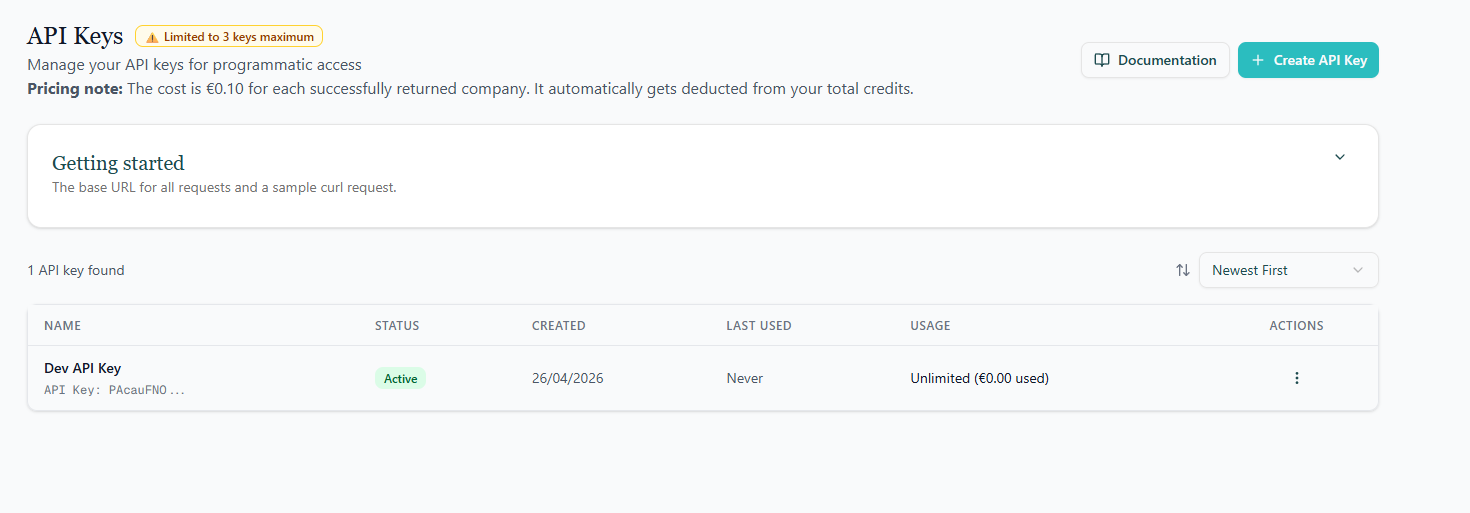
Create an API key
- Click Create API Key in the top-right of the page.
- Give the key a name — pick something that identifies where it will be used (for example, "Data warehouse ETL" or "Marketing automation"), so you can recognise it later.
- Optionally set a monthly quota to cap how many organizations the key can return in a single billing month. This is a safety guard — once the quota is reached, subsequent requests from that key will fail until the next month or until you raise the limit.
- Click Create to generate the key.
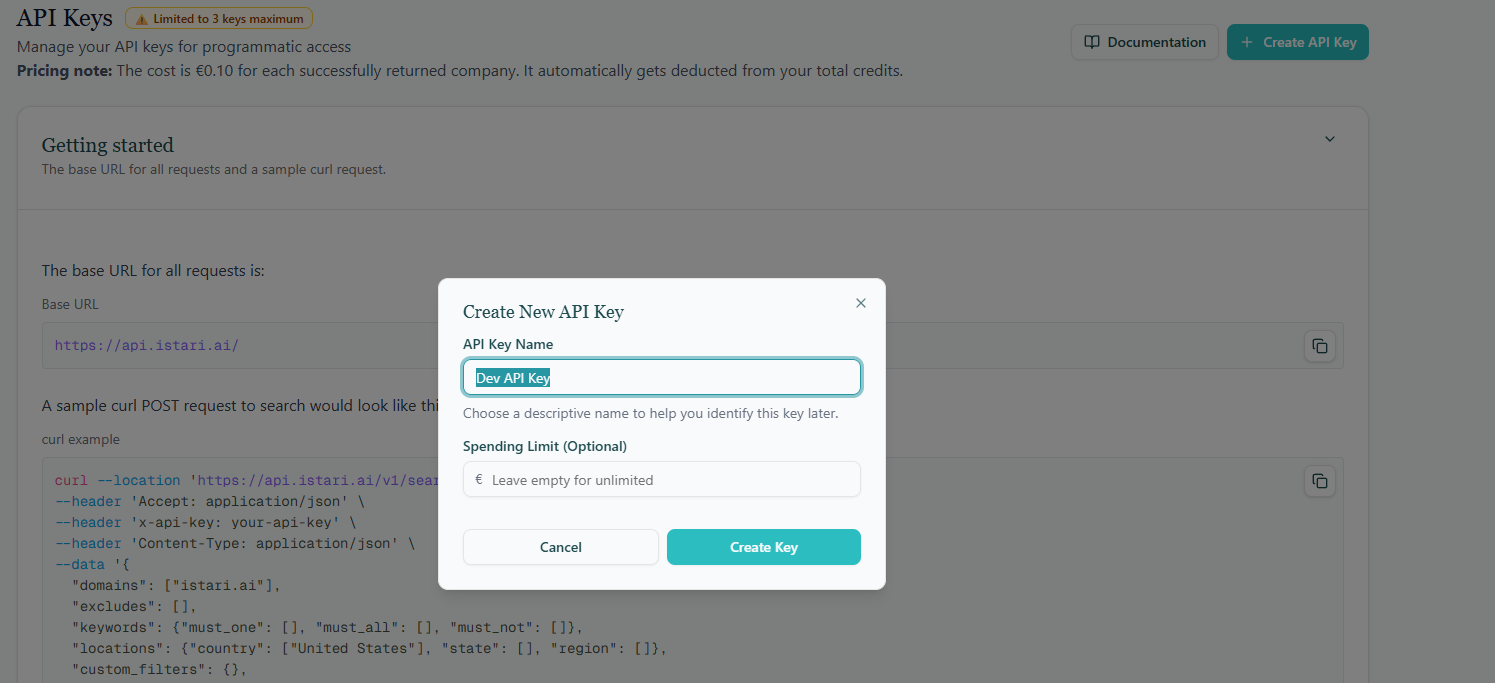
Copy the key immediately. The full API key value is shown only once, right after creation. Copy it to a secure place (e.g. a password manager or your infrastructure's secret store) before closing the dialog. If you lose the value you'll need to create a new key.
You can have up to three active API keys per account. If you need more, delete or rotate an existing one first.
Manage existing keys
Each row in the API keys table shows:
- The name you gave the key.
- When it was created and last used.
- The monthly quota and how much of it has already been consumed this month.
For each key you can:
- Edit — rename the key or adjust its monthly quota.
- Disable — temporarily stop the key from working without deleting it.
- Delete — remove the key permanently. Any application using it will immediately start failing.
Getting started
The page includes a Getting started card with the API base URL and a ready-to-copy curl example so you can test your new key right away.
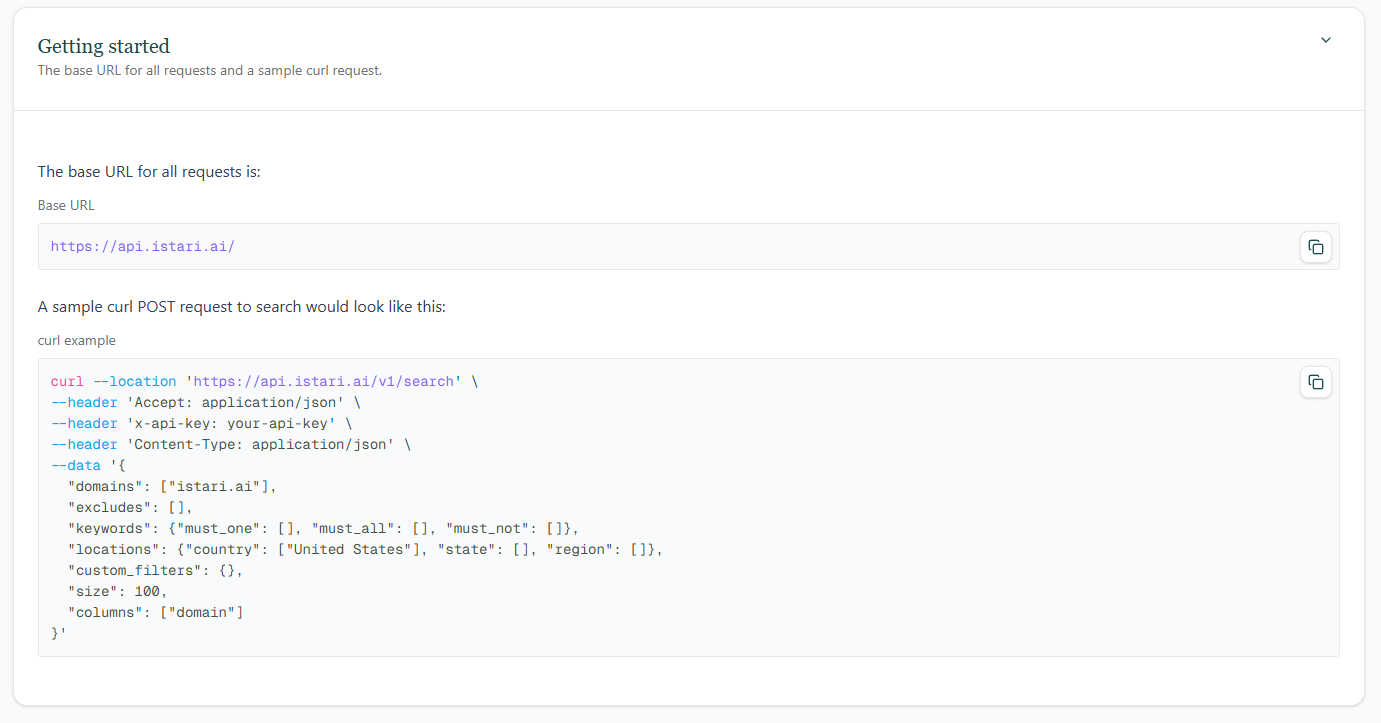
For a full list of endpoints, query parameters, and response fields, continue to the ISTARI API documentation.