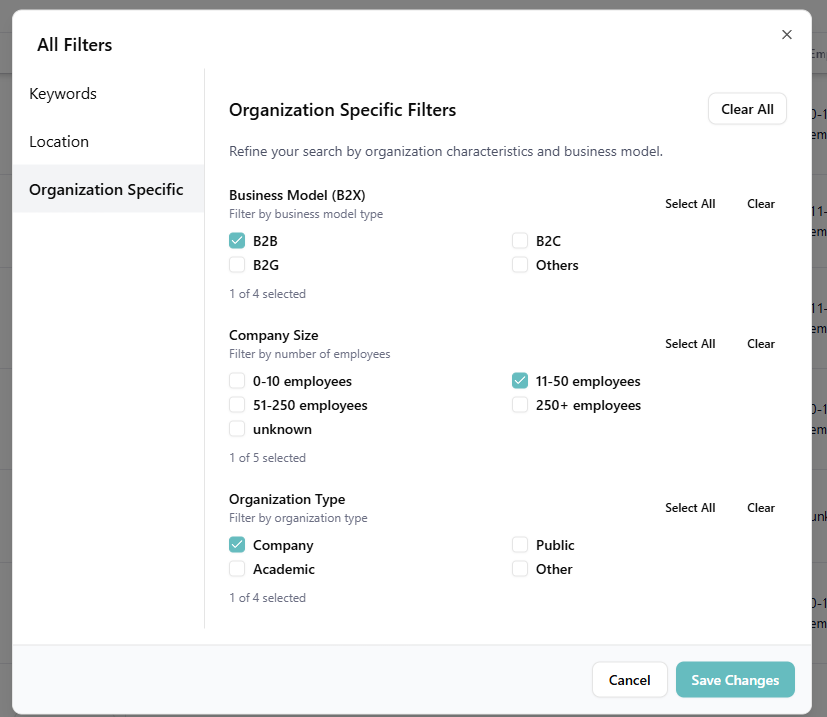
These filters help you control who appears in your results, based on structural attributes of an organization. They live under the Other Filters button on the search bar, on the Organization Specific tab.
- Organization Size: Filter by number of employees, using EU SME definitions:
- Micro (0–9 employees)
- Small (10–49)
- Medium-sized (50–249)
- Large enterprise (250+)
- Organization Type: Narrow results to Company, Startup, Public, Academic, or Other.
- NACE Code: The EU's statistical classification of economic activities. Pick one or more sectors (NACE A – NACE U) to restrict results to specific industries. Learn more about NACE.
Selections within a single filter are combined with OR (e.g. pick Micro and Small to see both). Selections across filters are combined with AND (e.g. Micro + NACE C returns small manufacturers only). Use the Clear link next to any filter to reset it, or Clear All at the top to reset every Organization Specific filter at once.