

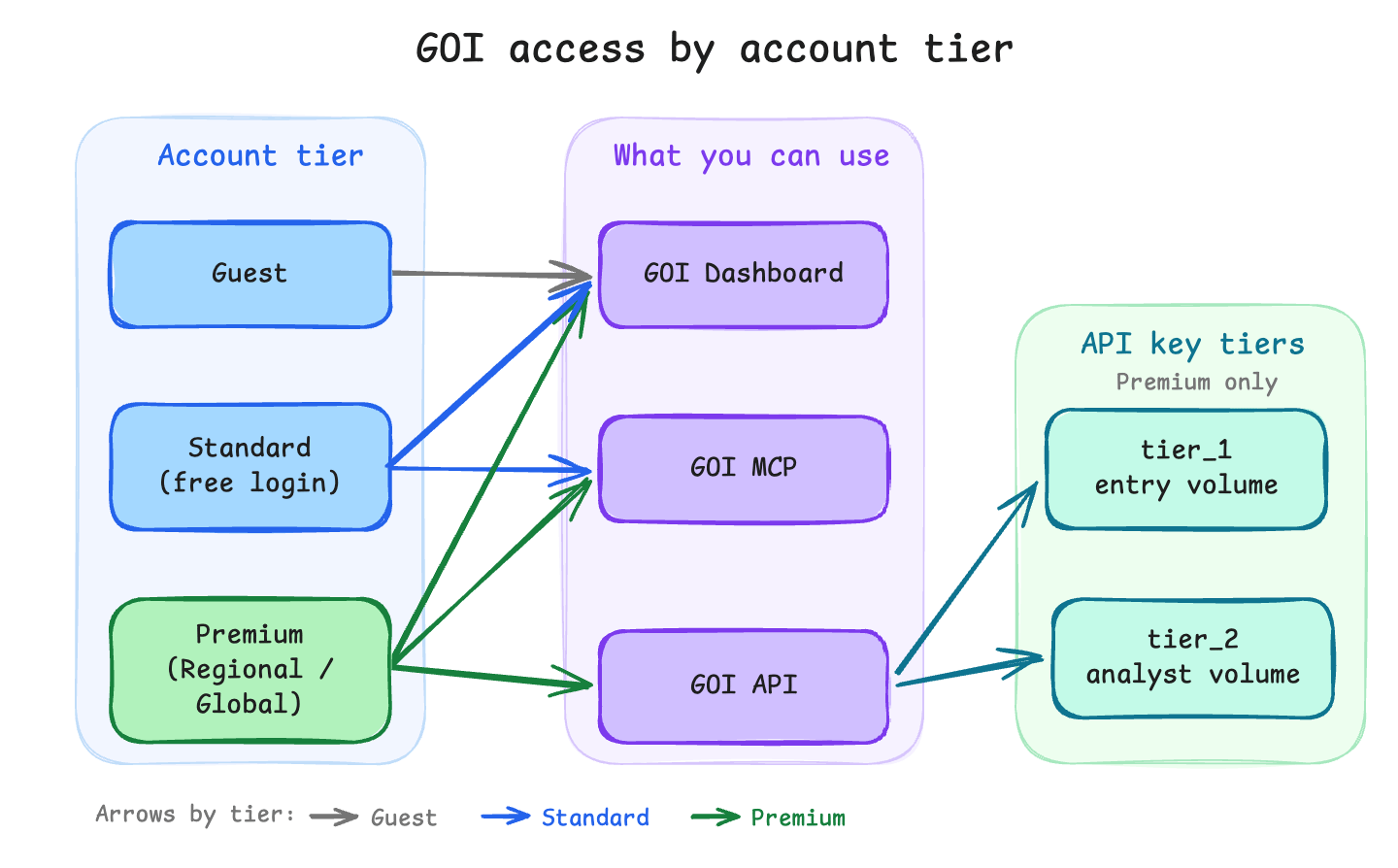
- Account tier — who you are when you use the GOI dashboard or GOI MCP. Set by your login and subscription.
- API key tier — which quotas apply when you call the GOI API. Only available on premium accounts.
All monthly quotas reset on the first of each month (UTC). A per-IP safety limit of 60 requests/minute applies on all GOI endpoints. API keys also have a per-key throttle (see Fair use limits).
Account tiers
Standard is the default when you create a free account and sign in. You can search, filter, save lists, and use GOI MCP within the limits below.
Premium is required for API access (creating keys in the dashboard), CSV/XLSX exports, and the higher monthly quotas. API key management is blocked for standard accounts.
There is no self-serve upgrade. ISTARI grants Premium for the term of your plan: book a demo or email support@istari.ai. When the plan ends, the account returns to Standard automatically, and we email you 15 days before.
Commercial plans
There are two paid packages. Both include the web interface, API access, and GOI MCP. The difference is mainly coverage and volume.What counts as a region (Regional plan)
On the Regional plan, coverage is scoped to geographic areas you select in the GOI dashboard. A region can be defined at the region, district, or municipality level — not at country or state level.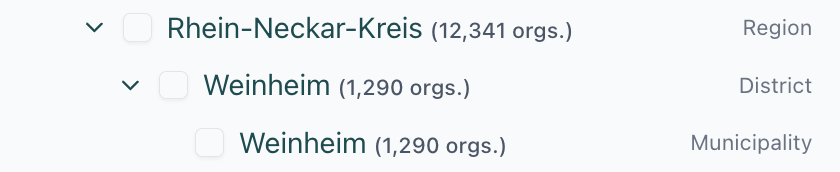
GOI dashboard limits
Quotas apply per calendar month, as requests / results. Results = organization rows returned.Export (CSV / XLSX)
Max 5,000 rows per export request.GOI MCP limits
GOI MCP uses the same standard / premium account tiers as the dashboard (via your index.istari.ai login). Request access and see Connect to add GOI MCP as a custom connector. Limits are grouped into tool buckets. All tools in a bucket share one monthly budget.
See GOI MCP overview for connection setup and Tools for what each tool does.
GOI API limits
API keys are only available on premium accounts. Create them under Profile → API keys in the dashboard. Each key has an API tier. New keys get tier_1; tier_2 is assigned by ISTARI on request. The tier controls monthly quotas onPOST /v2/search, POST /v2/fetch, and POST /v2/stats.
Only successful requests count. For rate-limit headers and errors, see Rate limits and tiers.
Regional vs global coverage is enforced via your account or API key scope (region, district, or municipality for Regional plans). See API reference.
Fair use limits
We have some per-key throttle limits (requests per second) to ensure fair use of our API.Upgrading or changing limits
- Standard → Premium: there is no self-serve checkout. Book a demo or email support@istari.ai, or see istari.ai technology for the plans.
- Raise API quotas: analyst upgrade on your commercial plan, or contact support for tier_2 assignment.
Related
- Quickstart: dashboard, API, and MCP paths
- API keys: create and manage keys
- API reference: columns, filters, and error codes
- GOI MCP connect: add GOI MCP to an AI client