

The relevance score
Most searches attach a relevance score to each result. It runs from 0 to 1 (often shown as a percentage), where a higher number means a closer match to what you asked for. The score value of each organization can be seen in the respective profiles of the organizations. We use it to sort the table, so the organization at the top is the one we’re most confident about.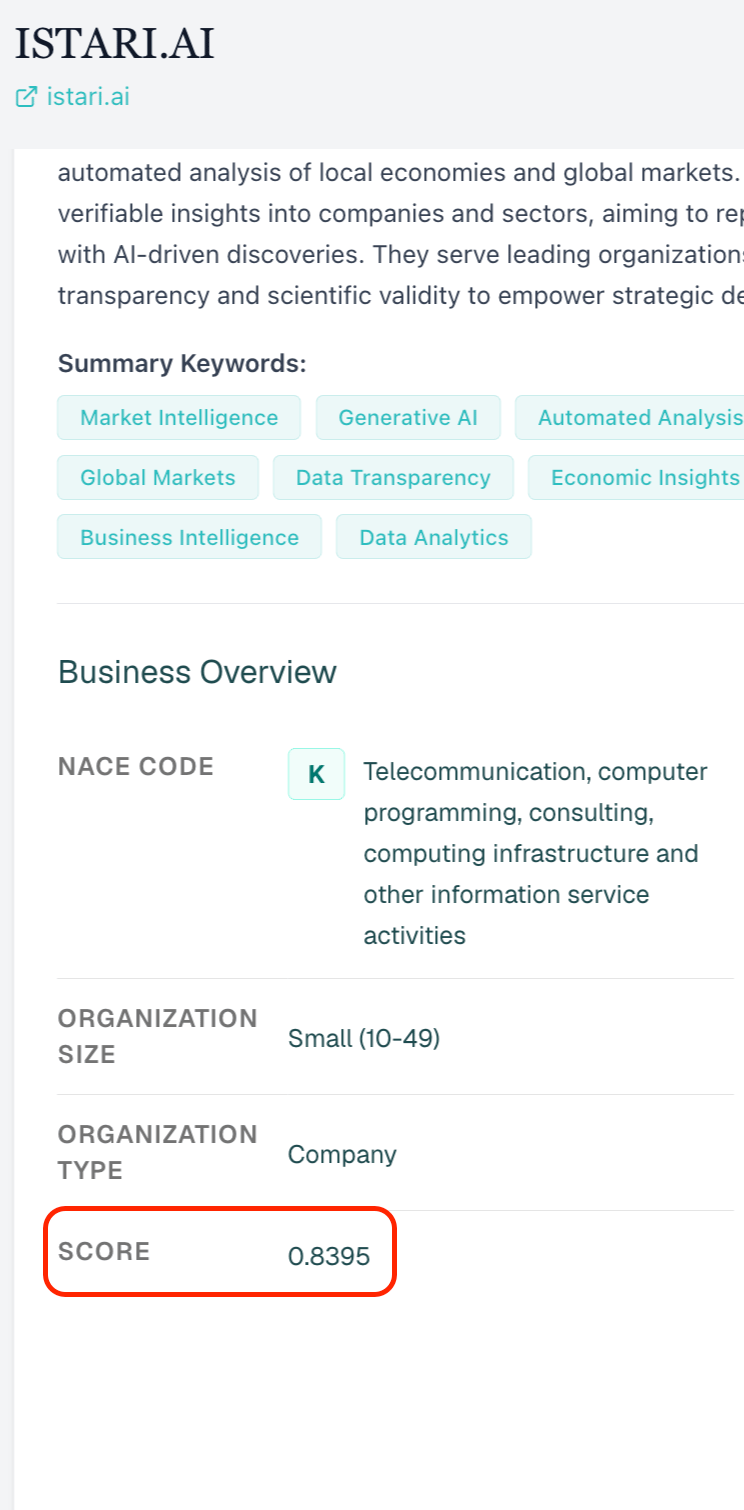
How each method scores
Semantic search
When you describe what you’re looking for, we don’t match your words literally. Instead, we turn both your description and every organization’s profile into a numerical “meaning fingerprint” (an embedding), then measure how close each organization’s fingerprint sits to yours.- The closer the meaning, the higher the score.
- This is why a search for “recycled aluminium producers” can surface an organization that never uses those exact words but clearly does that work.
- Results are ranked from most to least semantically similar.
Similarity search
Similarity search works the same way, but instead of starting from a description, we start from a reference organization. We build a rich profile of that organization from its public footprint, turn it into a meaning fingerprint, and find the organizations whose fingerprints sit closest to it. If you add prioritize or avoid keywords to steer the search, we nudge that fingerprint toward the terms you want and away from the ones you don’t before scoring, so the ranking reflects your emphasis, not just the raw reference organization.Keyword search
Keyword search is the one method that matches your terms literally. It scores each organization on how well your keywords match its profile text, using a well-established text-ranking approach (BM25). In plain terms, an organization ranks higher when:- Your keywords appear more often in its profile, and
- Those keywords are rarer across the database overall (a distinctive term counts for more than a common one).
When you combine methods
If you mix a description with keywords (a hybrid search), we run both the meaning-based search and the keyword search, then blend the two rankings so an organization that does well on both rises to the top. A balance control lets you lean more toward meaning or more toward exact keywords depending on what matters for your query.How we decide what’s “relevant enough”
Ranking puts the best matches first, but we also draw a line so the results stay useful.- For meaning-based searches (semantic and similarity), GOI applies a relevance floor. Organizations scoring below roughly 0.35 are left out, so you don’t have to scroll past weak, loosely-related matches. Raising this floor gives you fewer but tighter results; lowering it casts a wider net.
- Keyword searches return every profile that genuinely contains your terms, ranked by match quality.
- Any filters you apply: location, organization size, sector, must-include / must-exclude keywords, are applied alongside scoring. Filters decide whether an organization qualifies at all; the relevance score then decides the order of those that do.
Why two organizations can swap places
Scores are about closeness, not absolute truth, so small differences near the top are normal. The further down the list you go, the looser the connection to your query. If the top results look off, it’s usually faster to refine the query or adjust your filters than to scroll, a sharper description or an extra must-include keyword reshapes the ranking immediately.See also
- Semantic search: meaning-based search from a description.
- Similarity search: meaning-based search from a reference organization.
- Keyword search: exact-term matching with BM25 ranking.
- Search results: reading and working with the results table.