Create an API key
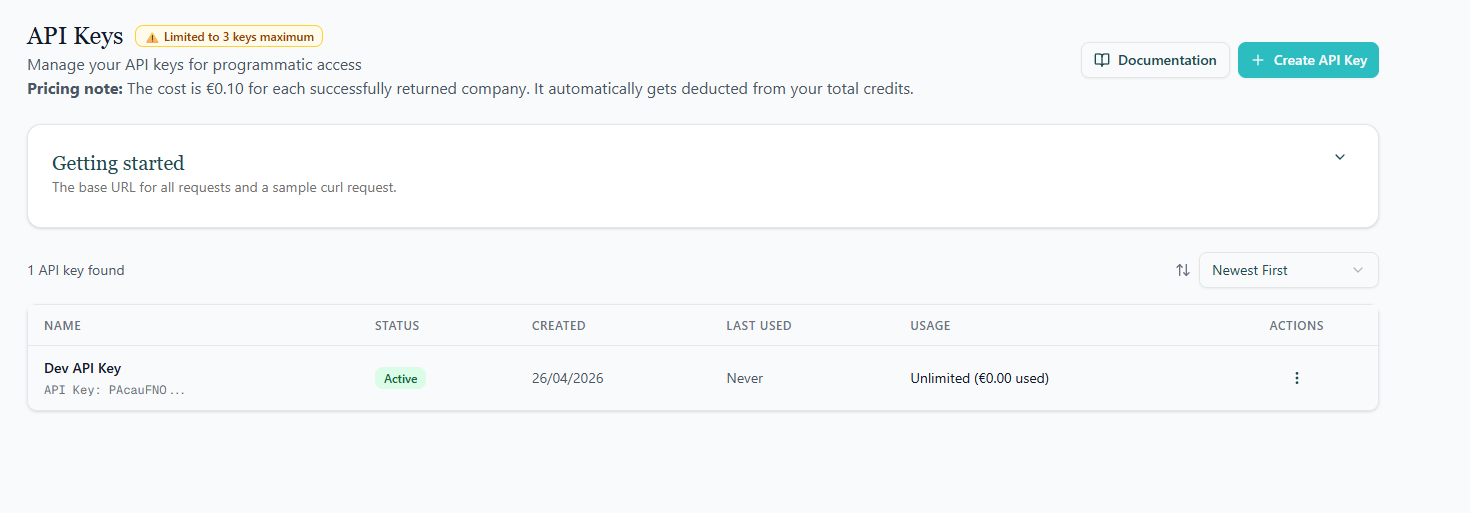
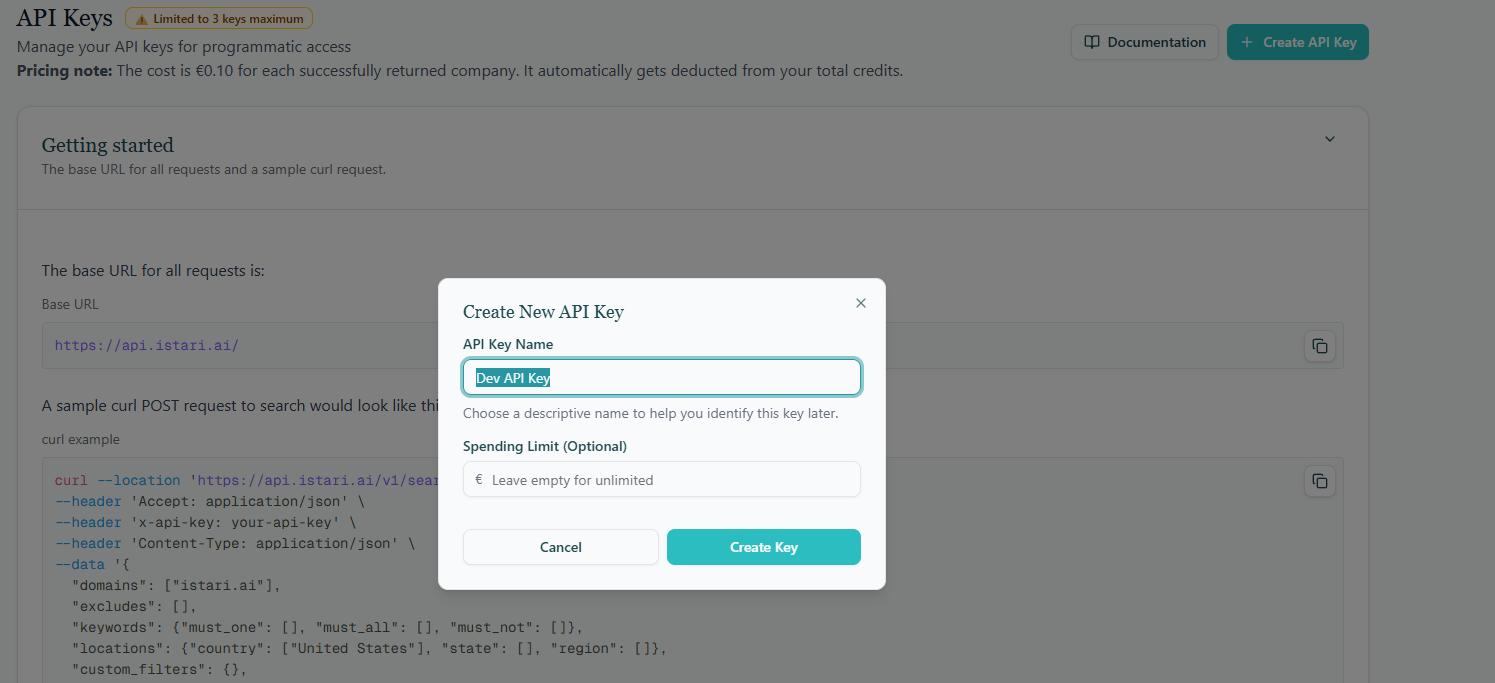
- Click Create API Key in the top-right of the page.
- Give the key a name: pick something that identifies where it will be used (for example, “Data warehouse ETL” or “Marketing automation”), so you can recognise it later.
- Optionally set a monthly quota to cap how many organizations the key can return in a single billing month. This is a safety guard, once the quota is reached, subsequent requests from that key will fail until the next month or until you raise the limit.
- Click Create to generate the key.
Manage existing keys
Each row in the API keys table shows:- The name you gave the key.
- When it was created and last used.
- The monthly quota and how much of it has already been consumed this month.
- Edit: rename the key or adjust its monthly quota.
- Disable: temporarily stop the key from working without deleting it.
- Delete: remove the key permanently. Any application using it will immediately start failing.
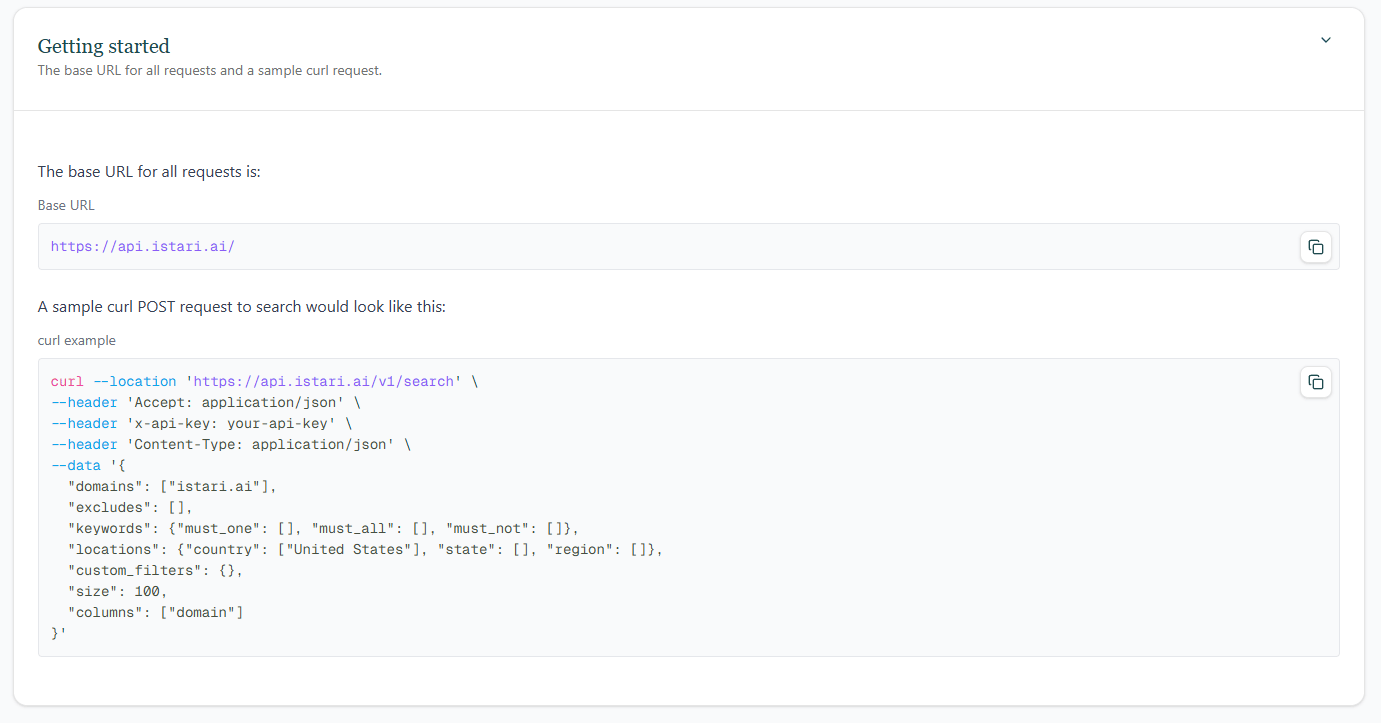
Getting started
The page includes a Getting started card with the API base URL and a ready-to-copycurl example so you can test your new key right away.