

Filters
These controls shape the data you see:- Region scope (left): Only shown if your account has access to specific offices or regions. Toggle between All regions and one of them. The scope you pick drives both the chart and the table below.
- Country select (right): Shows All regions by default. Narrow the chart and table to any combination of Germany, Austria, Switzerland, France, the United Kingdom, and Spain.
- Filters (above the table): Narrow the table by country, region, state, district, municipality, register court, organization type, or NACE code.
- Registration dates (above the table): A calendar range picker that limits the table to organizations whose registration date falls within the chosen window. By default, the table opens on the latest available date so you immediately see what’s brand new. Click Reset to latest to jump back to today after exploring an earlier window.
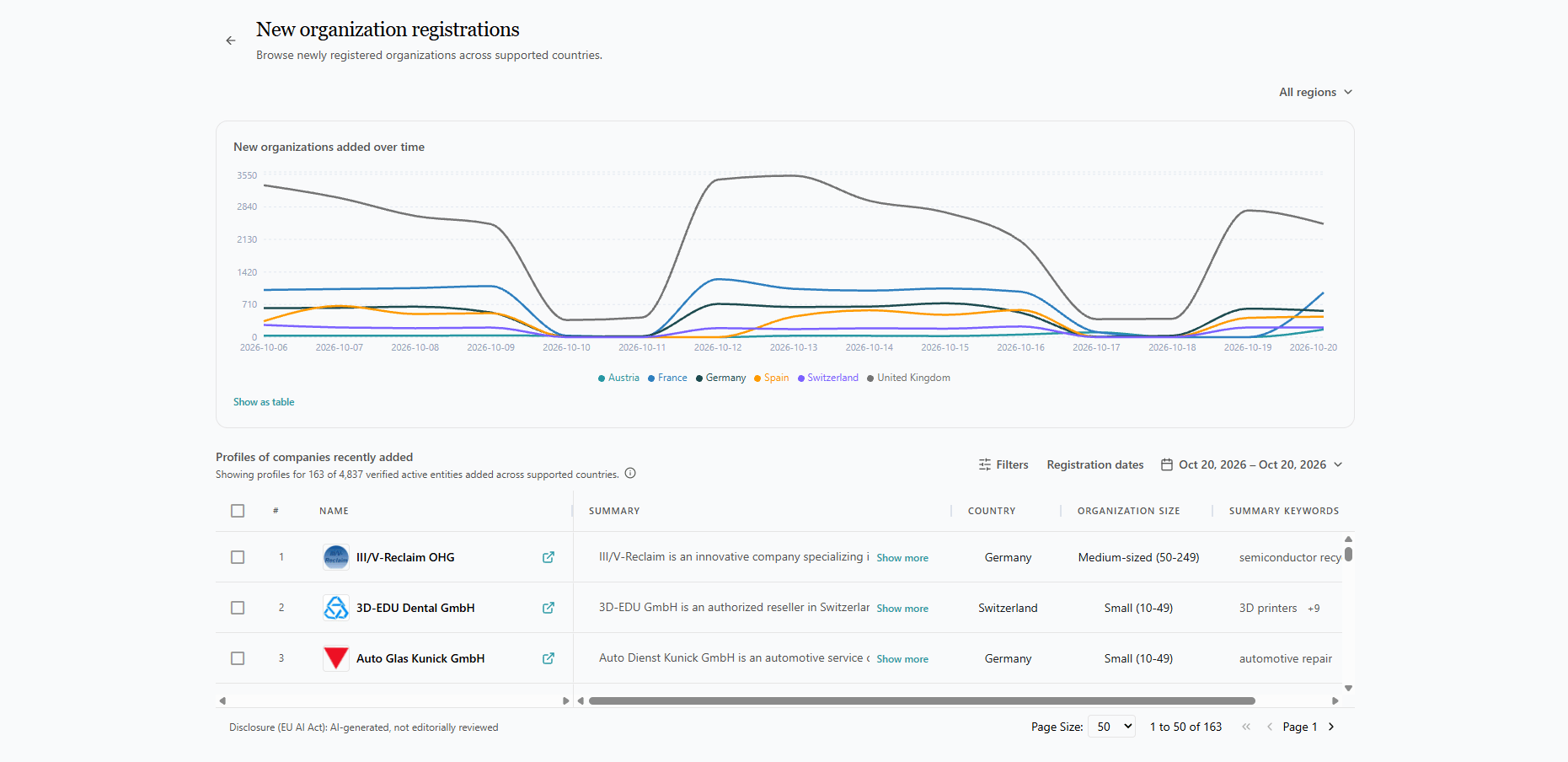
New organizations added over time
The line chart plots how many new organizations have been registered each day, with a separate line per country. Hover over any point to see the exact count for that day, or click Show as table to see the same numbers as a table. Use this chart to:- Spot registration trends or anomalies.
- Compare activity across countries.
- Pick a day or period worth drilling into with the table below.
Profiles of organizations recently added
Below the chart, a paginated table shows the actual newly registered organizations. The summary line above the table (for example, “Showing profiles for 163 of 4,837 verified active entities added across supported countries”) indicates:- Total processed: organizations detected in the register for the selected scope and date range.
- Profiles built: of those, how many have a verified active web domain so we can show a full profile.